Getting started with BT
To get you up and running, we recommend you set up your new services in this order:
- My BT and the My BT app
- BT Smart Hub
- Complete Wi-Fi
- Hybrid Connect
- Digital Voice
- EE TV
For any services you don't have, just skip those steps.
Set up My BT
My BT is the easiest way to manage your account. You can view your bills, change your settings and track your orders online and in the My BT app.
When you sign up for BT Broadband, we'll automatically create a BTID, which is how you log into My BT. Check your emails to get started.
You can also create a BTID. To set one up, you'll need your email address and account number, which are in your emails and on your bills.
When you're done, don't forget to download the My BT app so you can keep tabs on everything from your phone.
Set up your BT Smart Hub
Your hub is the key that unlocks your digital world, so it needs to be set up first. Make sure you use all the kit supplied, including the power supply, even if it's a replacement.
Just follow our handy step-by-step guide to setting up your Smart Hub or watch this video:
Set up Complete Wi-Fi
Once your hub's online, you can make sure you're getting a signal throughout your home. So now it's time to set up Complete Wi-Fi.
It's important to position your Complete Wi-Fi discs halfway between your hub and where you need the signal to go.
This video will show you how:
Set up Hybrid Connect
Now you're online, let's keep it that way. Our clever Hybrid Connect device will automatically connect you to 4G if your broadband goes down.
Keep it powered on and connected so it's there when you need it.
To find out how to set up Hybrid Connect, just watch this video:
Set up Digital Voice
Our Digital Voice home phone service lets you make and receive calls using your broadband connection. Unlike a traditional landline, your handsets connect to your Smart Hub rather than to a telephone socket on the wall.
There are three ways of connecting to your hub:
- Digital Voice handsets can pair wirelessly to the hub
- existing handsets can be plugged into the back of the hub
- use a Digital Voice Adapter to connect your phones in other rooms with the hub
We've put all the info you need right here on our Digital Voice set-up page.
IMPORTANT: If you use telecare devices such as healthcare alarms or medical pendants, you'll need to check that they're still working after you've connected your Digital Voice service. If you're experiencing any issues with them, you should call your telecare provider immediately.
If you need to speak to us after contacting your alarm provider, please call us on0330 1234 150.
Set up EE TV
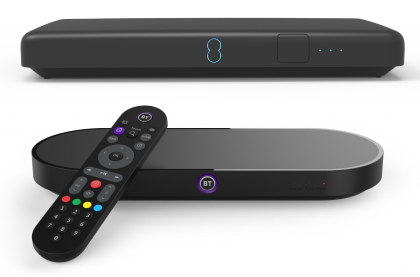
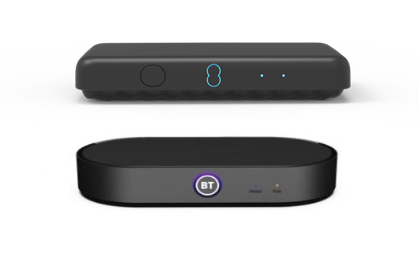
EE TV from BT is here, bringing you a world of entertainment to enjoy. Just select your box, follow our simple step-by-step guide to setting up EE TV and before you know it you'll be hooked on the latest box set.